SolutionsCustomer Support
Move customer issues
towards resolution.
Keep your team in control.
Build AI agents that bring together customer context, investigate issues, and coordinate next steps across your connected systems. Define what can proceed automatically, what requires approval, and what remains with your team.
Featured workflow: Service access resolution
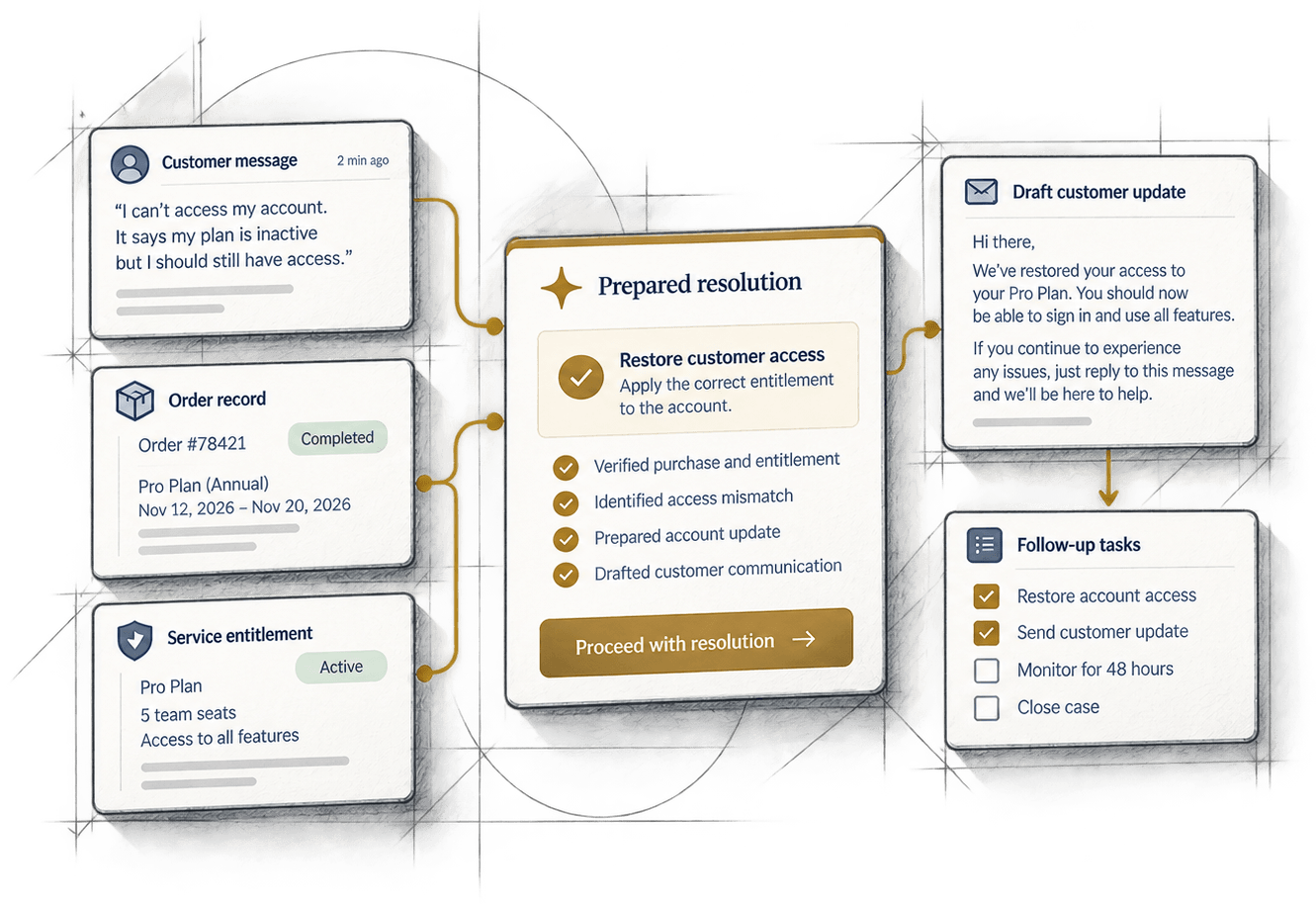
Context brought together
Unify customer data, orders, entitlements and support history in one place.
Prepared next steps
Get clear, actionable recommendations based on your business rules.
Controlled actions
Automate what’s safe, route what needs approval, and keep your team in control.
02Workflows to explore
Support the work across your customer support team.
From service access resolution to technical escalations, build agents that gather context, prepare useful work, and coordinate the next step. Keep customer-facing actions and consequential decisions within the boundaries your team defines.
- Featured workflow
Service access resolution
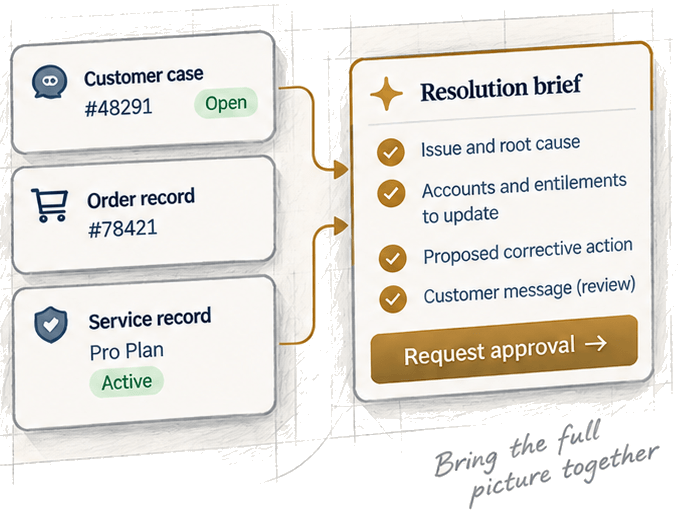
Bring together the customer case, order or subscription details, and service records. Prepare the resolution brief and request permission to apply the correction.
Output: prepared resolution and approved corrective action.
See worked example Order and service issue resolution
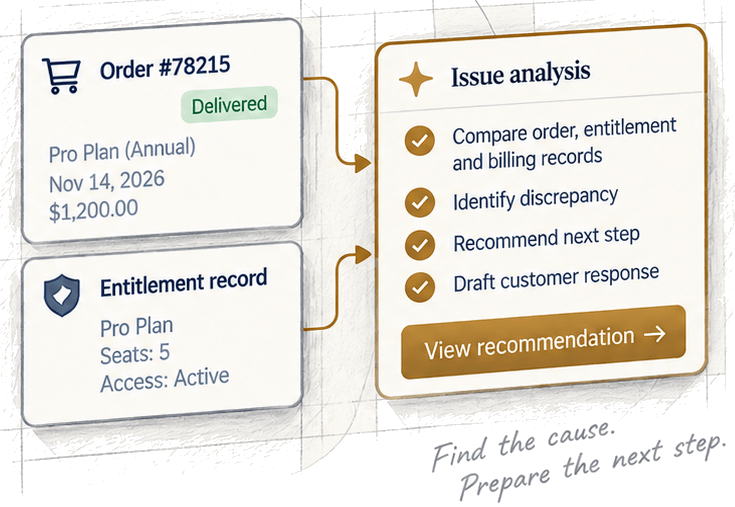
Investigate discrepancies involving an order, subscription, or entitlement. Compare records across systems, identify the cause, and prepare the next step.
Output: resolution recommendation and proposed action.
Technical escalation coordination
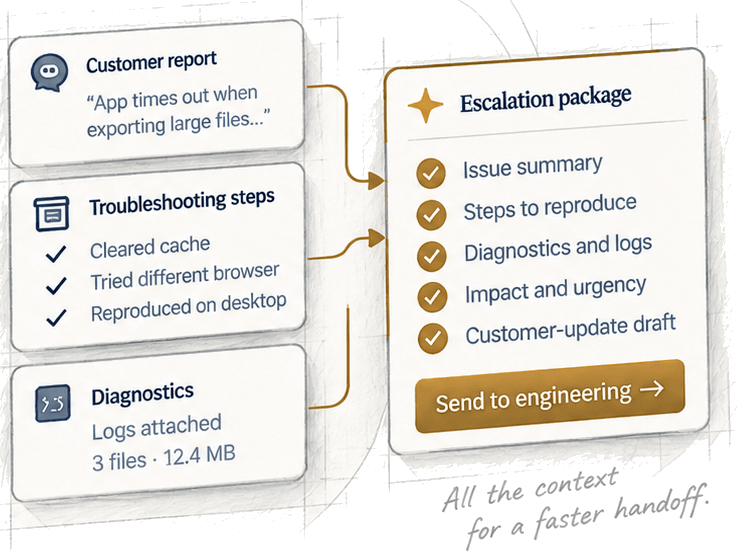
Assemble the customer’s symptoms, attempted troubleshooting, and permitted diagnostics. Prepare a clear escalation package for the next team and draft a customer update.
Output: escalation package and customer-update draft.
Support knowledge maintenance
Review selected resolved cases, identify guidance gaps, and prepare additions or corrections to your knowledge base. Keep content accurate, clear, and aligned with current product behavior.
Output: knowledge article draft or suggested update.
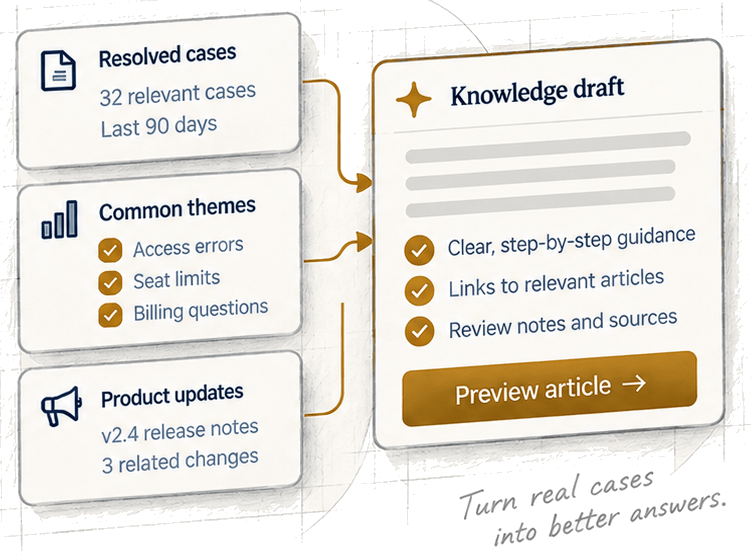
Your workflow may be different. Agents are configured around your connected systems, working procedures, and action boundaries.
03One workflow, in detail
Featured workflowService access resolution
Illustrative workflowFrom a support request to a prepared resolution.
Here is how those capabilities come together in a service access resolution workflow. The agent reviews the customer and service context, prepares the resolution brief, requests permission to apply the correction, and records the result.
A static illustration. Each card shows one fictional case at a stage of the workflow; nothing here reads a live system, changes an account, or sends a message, and the restored entitlement is not a closed case.
Review the case
Read the customer case, order or subscription details, and service access records.
Case context
CustomerTaylor Kimtaylor.kim@example.comCaseCS-48291Opened Nov 12, 2026Order / subscription#78421Pro Plan (Annual)Service access statusAccess suspendedPrepare the resolution
Bring the relevant findings together in a resolution brief.
Resolution brief
Key findings- Purchase and service records matched
- Purchased entitlement identified
- Access discrepancy documented
Proposed correctionRestore service access for Pro Plan (Annual), limited to the purchased entitlement.Correction scopeRestore only the purchased Pro Plan entitlement.Request permission to apply
Present the corrective action for approval before it proceeds.
Restore purchased access
RecipientTaylor Kimtaylor.kim@example.comServicePro Plan (Annual)Proposed actionRestore service access for Pro Plan (Annual), limited to the purchased entitlement.Customer update (draft)We have prepared a correction to your purchased access. We will update you once the change has been applied.
Status: Requires approval
Record the result
Keep the approval decision separate from the execution outcome.
Resolution applied
- Approval grantedNov 12, 2026 at 9:07 AM by the support lead
- Purchased access restoredNov 12, 2026 at 9:08 AM, recorded by the service tool
- Customer update draftedNov 12, 2026 at 9:10 AM, prepared for review and not sent
The correction has been applied. The customer update is a draft and has not been sent.
04Permissions and approvals
Different workflows.
Explicit boundaries.
For each agent, define the information it can access, the actions it may take, and when a person or connected system must approve. Here is one example from the featured customer-support workflow.
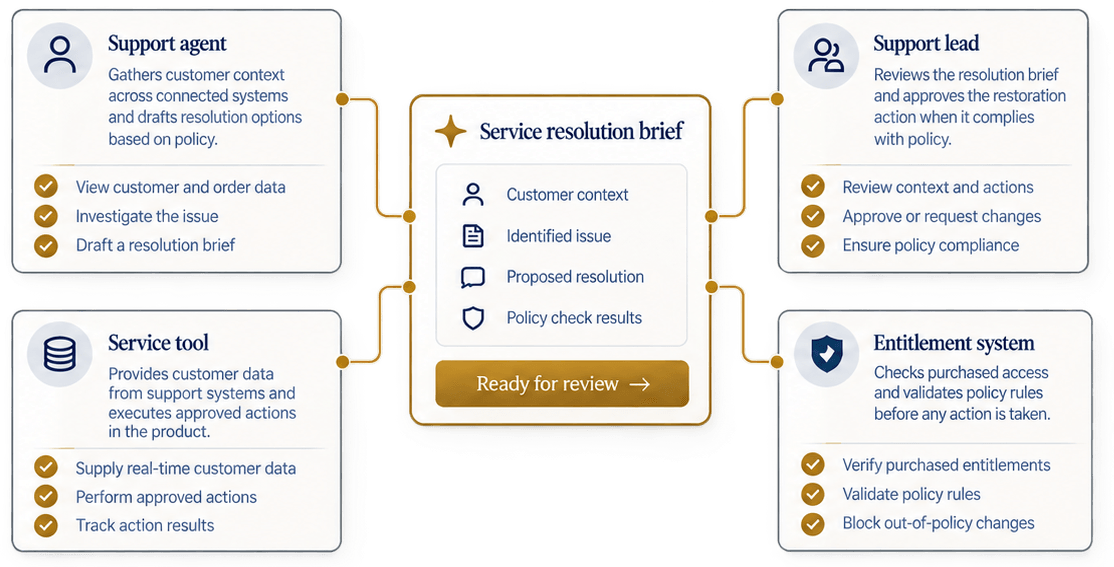
Example policies for the featured workflow
| Action | Policy |
|---|---|
| Read customer, order, and service records | Allowed |
| Edit the service resolution brief | Allowed under a standing grant |
| Restore purchased access | Requires approval |
| Grant access outside the purchased entitlement | Denied |
These are example policies for one workflow. Other customer-support agents can have different boundaries.
Resolution, not unrestricted changes.
This workflow corrects a purchased service-access issue, such as restoring access that is unavailable due to a technical error. It does not grant additional benefits or override commercial policy. Different support workflows can have different boundaries based on your business rules.
05The record and the follow-up
Know what was prepared.
See what was authorized.
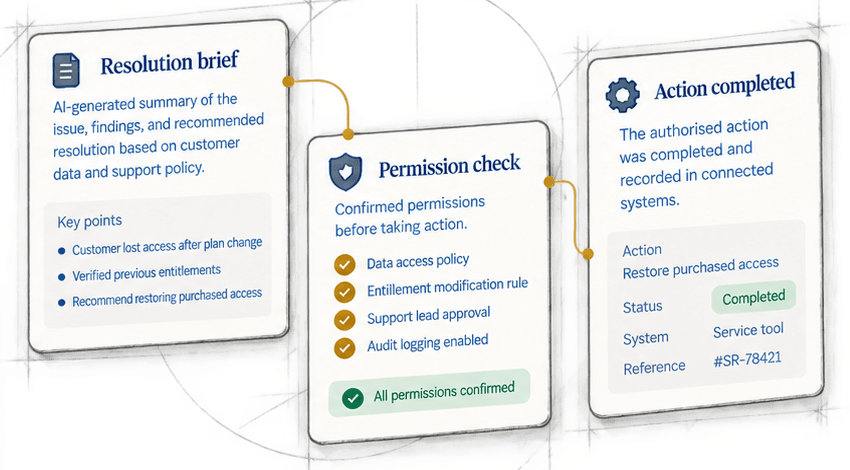
Review the agent’s work alongside the permission decisions that governed it. See the resolution brief it prepared, the action submitted for approval, and the result of the connected correction.
Decision record
Actions, permissions and outcomes for this illustrative workflow.
- Customer case readAuthorized by data access policyNov 12, 20269:03 AM
- Order and service records reviewedAuthorized by data access policyNov 12, 20269:04 AM
- Resolution brief preparedPrepared by support workflowNov 12, 20269:05 AM
- Access correction approvedAuthorized by support lead approvalNov 12, 20269:07 AM
- Purchased access restoredRecorded by service toolNov 12, 20269:08 AM
- Customer update draftedPrepared by support workflowNov 12, 20269:10 AM
- Follow-up queuedTriggered by configured workflowNov 12, 20269:10 AM
Continue the follow-up
without another chat.
A background agent can continue the follow-up using the context, permissions and policies configured for that workflow.
Customer follow-up
Configured follow-up- Verify access remains active.
- Check for a customer reply.
- Record the next step.
Triggers, available context and permitted actions depend on the workflow configuration.
06Connected systems and procedures
Build around your
records and
procedures.
Connect the customer, order or subscription, and service information the workflow needs. Provide the support procedures the agent should consult, and configure the tools and actions available to it.
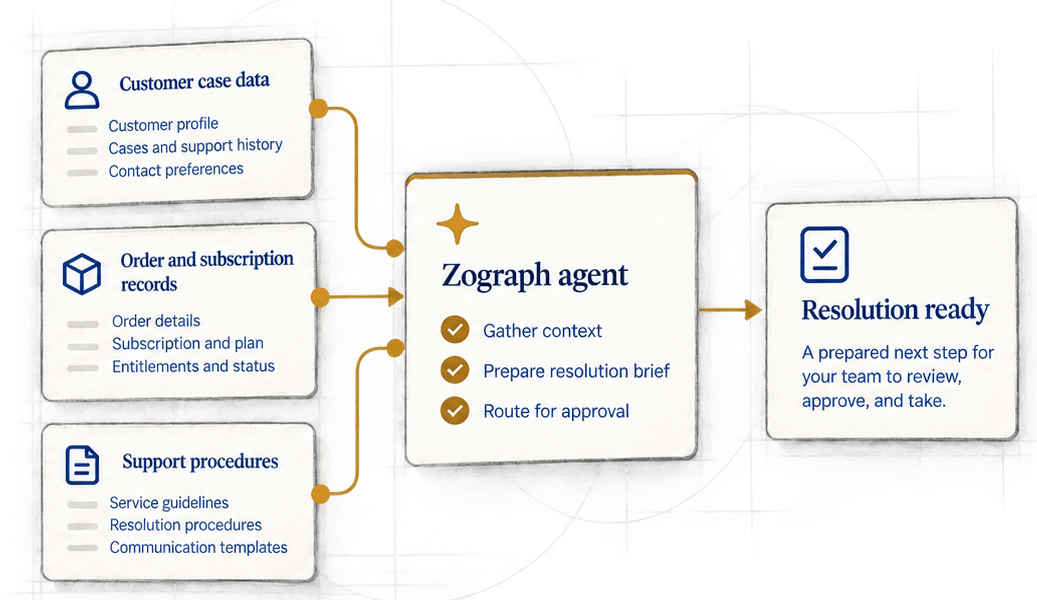
Customer and account context
Connect the records needed for the task and bring relevant customer context into the workflow.
Order and service records
Provide purchase, subscription, or entitlement information needed to understand the issue and prepare the right correction.
Support procedures
Supply the service and communication procedures, and configure which actions are permitted, require approval, or remain unavailable to the agent.
Available records and actions depend on the integrations and permissions you configure.

07Get started
Start with one customer
support workflow.
Bring a process your team handles today. We’ll explore what an agent should gather, what it should prepare, and where your team needs to review or decide.
Clearer support operations.
Better customer outcomes.